Have a Nice Day By Shan Ji

Showing posts with label Blogging. Show all posts

Thursday, 23 January 2014

How To Change Background of Blogger

Go to the Blogger Dashboard and click on Template
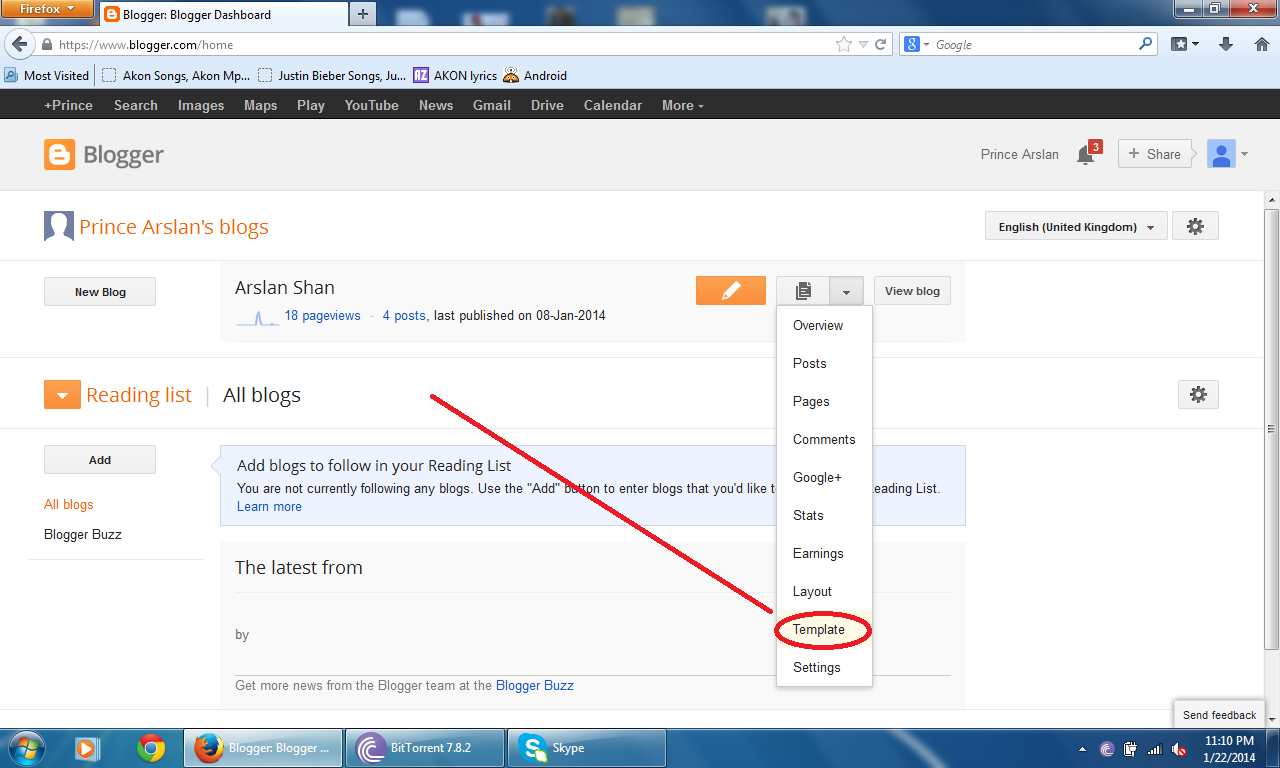

Click on Customize Button


The new window will be appeared. Then Click on the Background then click on Blogger Images

(As shown in this Image)


Then the new window will appear then choose the background which you like

And click on Done Button

Then Click on Apply to Blog

If you like this post so daily visit my blog for more posts and also like our page 

Like us on facebook

Wednesday, 22 January 2014

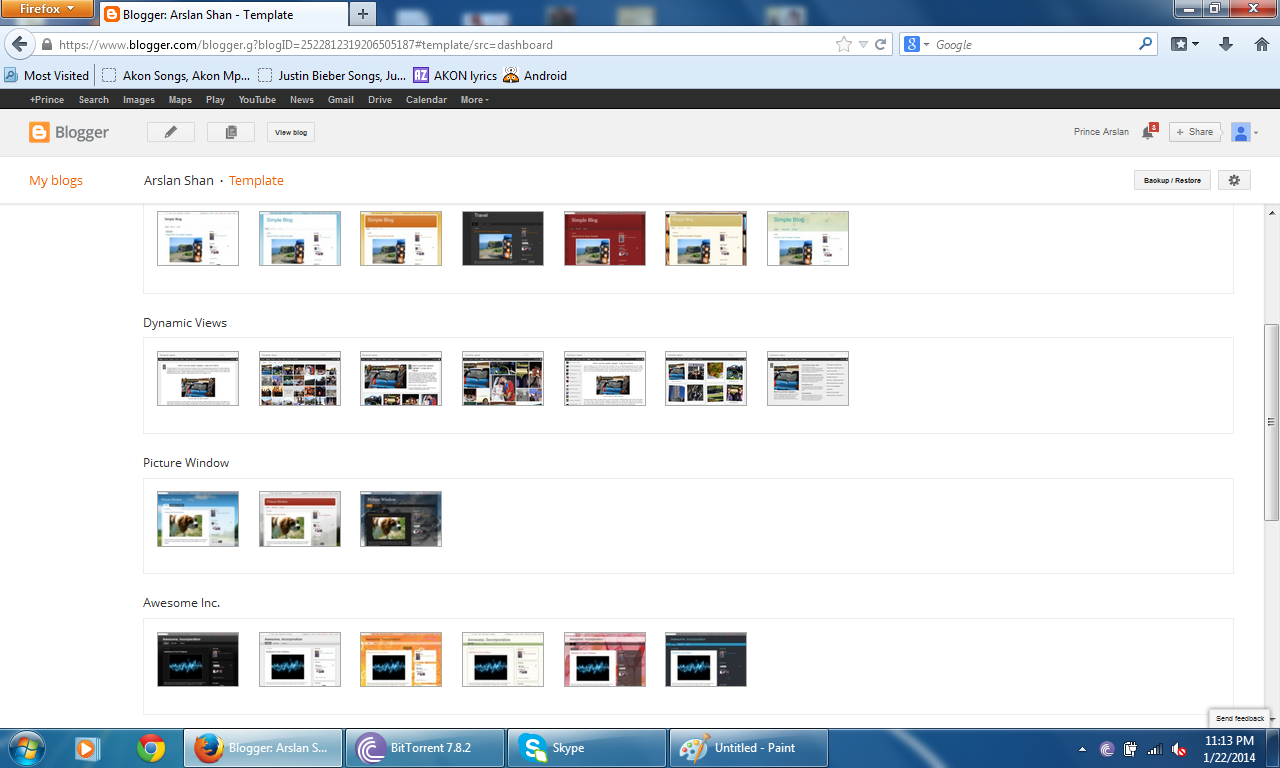
Go to the Blogger Template and click on Template


Then the new window will open. Pull down the vertical scroll bar. You will see many different Templates


Choose one of the following. Then click on apply button


And your Blogger Template will be applied

Click on view blog to view your new template


If you like this post so daily visit my blog for more posts and also like our page 

Like us on facebook

Monday, 13 January 2014

Add Labels

Go to the Blogger Dashboard and click on post


And mark which post which you want to add in lable


 Then click on labels and click new labels


Write your label name then click OK


 Your label will be created

Remove OR Rename Labels

Click All Labels


 And select which label which you like to remove or rename


 Then the new window will appear

In this window only those post will appear which label you select


 Now click on label


 Select which label which you like to Remove and Rename


 And then the label you select will be Removed


 Then on label which you removed

As shown in the Image


 Then Click on Label and new label


 Write name your new label and click OK


Your label will be renamed :-)

If you like this post so daily visit my blog for more posts and also like our page 

Like us on facebook

Very easy to make schedule post

Just follow some Steps As usual :-)

Go to the Blogger Dashboard and click on post

Then click on New Post

After create your post and click on schedule

Click on set date and time an set your time

Then click on done button


Then Click on Publish post

Your post will be appear in post list as

If you like this post so daily visit my blog for more posts and also like our page 

Like us on facebook

Thursday, 9 January 2014

You can add layout in your blogger by follow these simple steps

Go to the blogger Dashboard
Open layout


Then click on one of these add Gadget where you want i.e


Then you will see next window

Different types of Gadget will be appear

You can select any Gadget what you want

i.e


Then this window will appear

Then click save button

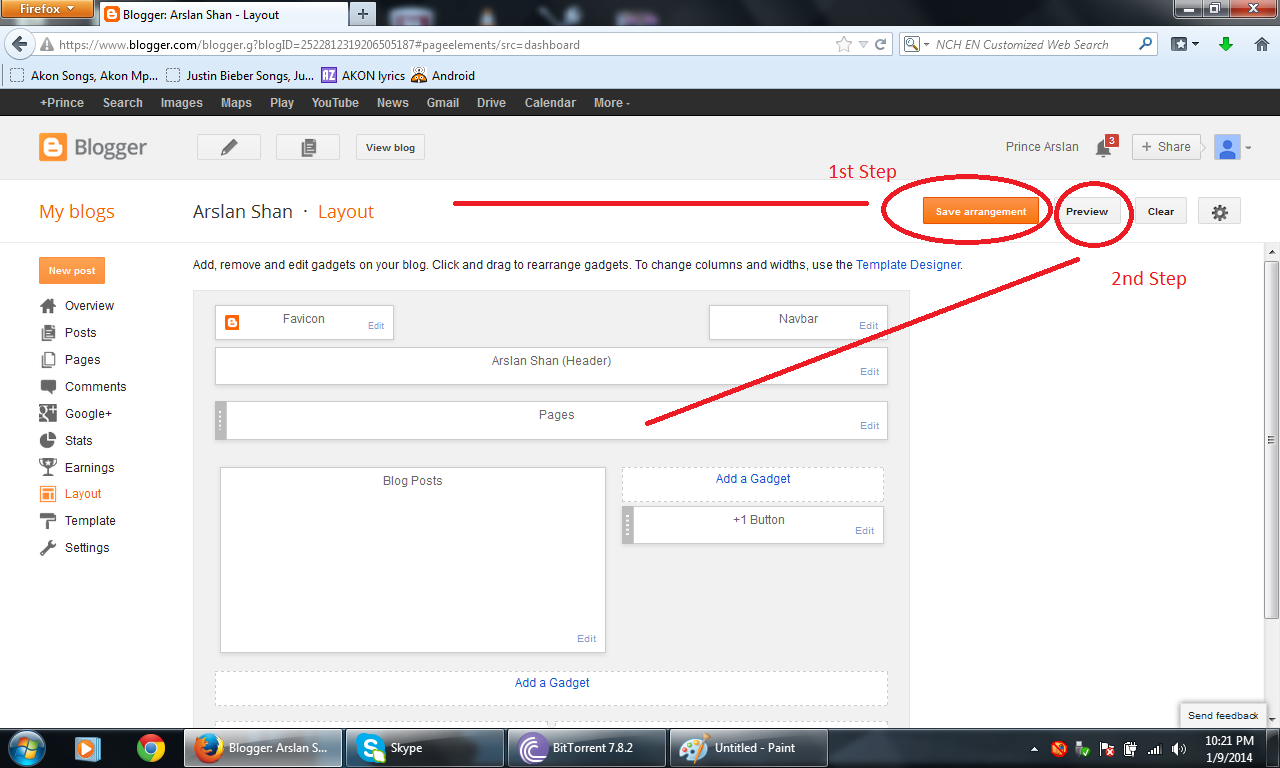
Then 1st click on save arrangements and 2nd click on preview


Then the preview will be appear

The gadget will be shown in the preview


Try different types of Gadget......


If you like this post so daily visit my blog for more posts and also like our page 

Like us on facebook

Wednesday, 8 January 2014

Hello friends......

Today we learn how to add pages on blogger

This is very important thing for blogger

We can create almost 20 pages on one blogger


 1st go to the Blogger Dashboard and click pages

Then The new window will appear as shown in the image

Then click on new pages

Now we can add pages by two ways 1st Blank page and 2nd Web address

If you want to choose Blank Page then...

Then new window will appear just like a post

You can fill your post with respect to your wish

And click on publish

After published your page you will see this window

Click on this button (Shown in this image below)

Then you can click two functions 1st Top tabs And 2nd Slide links

If you choose Top tabs

Then Click on Save arrangement

View your blog

The page you added will be appear 

And click the page


After clicking the page will be open directly

But if you want to choose web address then click web address

Then this window will appear

Fill its

Then click save

And go to your blogger and see this

And click on your page

After clicking the page will be opened as

If you like this post so daily visit my blog for more posts and also like our page 

Like us on facebook

Have a Nice Day By Shan Ji